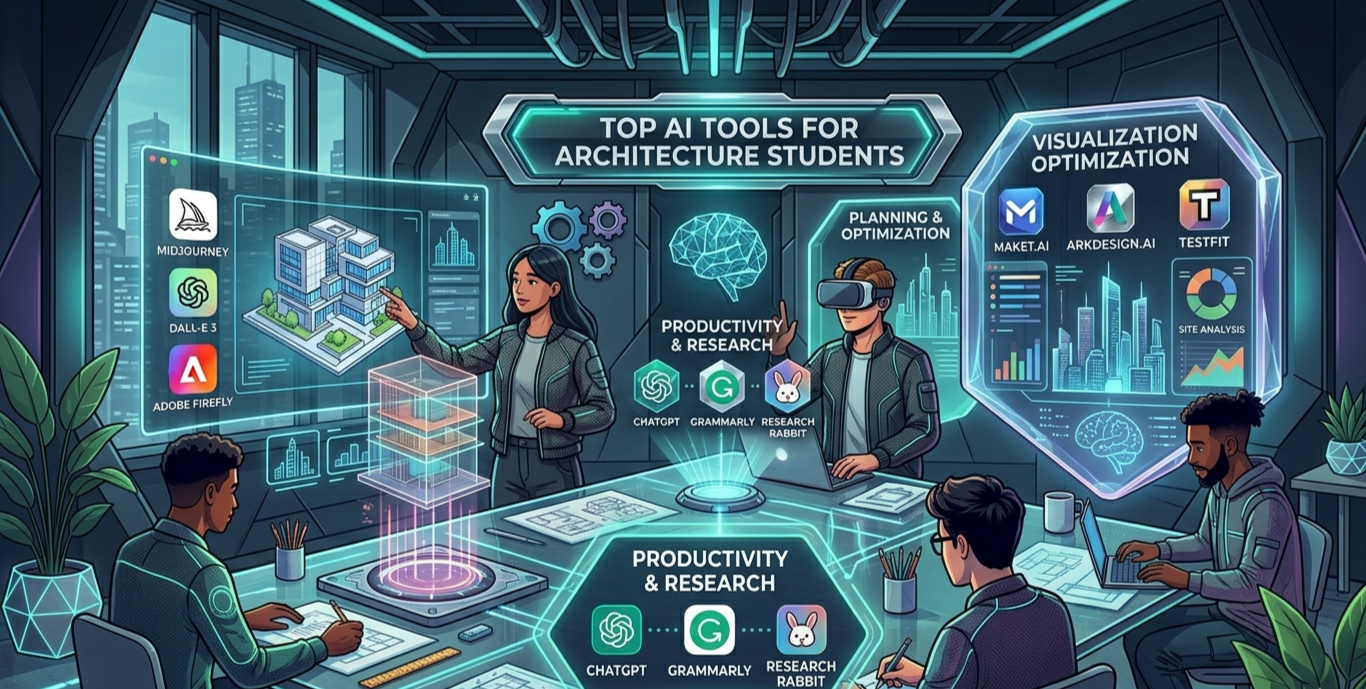
Architecture school is demanding. You juggle design studios, technical drawings, structural calculations, and endless presentations — all at the same time. That’s exactly why the top AI tools for architecture students are changing the game in 2026.
Whether you’re a first-year student still learning AutoCAD or an advanced student working on your thesis project, AI-powered tools can save you hours of work, sharpen your creative thinking, and help you produce professional-level results faster than ever before.
In this article, you will learn about the best AI tools available for architecture students today. We cover tools for concept generation, 3D modeling, rendering, floor plan design, sustainability analysis, and research writing. We also share practical tips, honest pros and cons, and a handy comparison table to help you choose the right tools for your workflow.
Why Architecture Students Need AI Tools in 2026
The architecture industry is going through a massive shift. Firms are now hiring graduates who understand AI-assisted design workflows. According to recent industry reports, over 65% of top architecture firms already use some form of AI in their projects.
For students, this means one thing: learning these tools now gives you a serious competitive advantage when you enter the job market.
AI tools can assist you in the following ways:
- Generate design concepts in minutes instead of days
- Create photorealistic renders without expensive hardware
- Analyze sustainability metrics early in the design process
- Automate repetitive tasks like floor plan layouts and documentation
- Write better project descriptions and research papers faster
Top AI Tools for Architecture Students: Complete Breakdown
1. Midjourney — Best for Concept Visualization

Midjourney is one of the most popular AI image generation tools among architecture students worldwide. It turns simple text prompts into stunning visual concepts in seconds.
For example, you can type: “modern sustainable community center, exposed concrete, green rooftop, natural light, photorealistic” — and Midjourney produces four high-quality concept images instantly.
Best for: Mood boards, early concept sketches, client presentations, competition entries.
- Pros: Extremely fast, highly creative output, affordable subscription
- Cons: Does not produce accurate floor plans or technical drawings; requires good prompt writing skills
2. Vizcom — Best for Sketch-to-Render
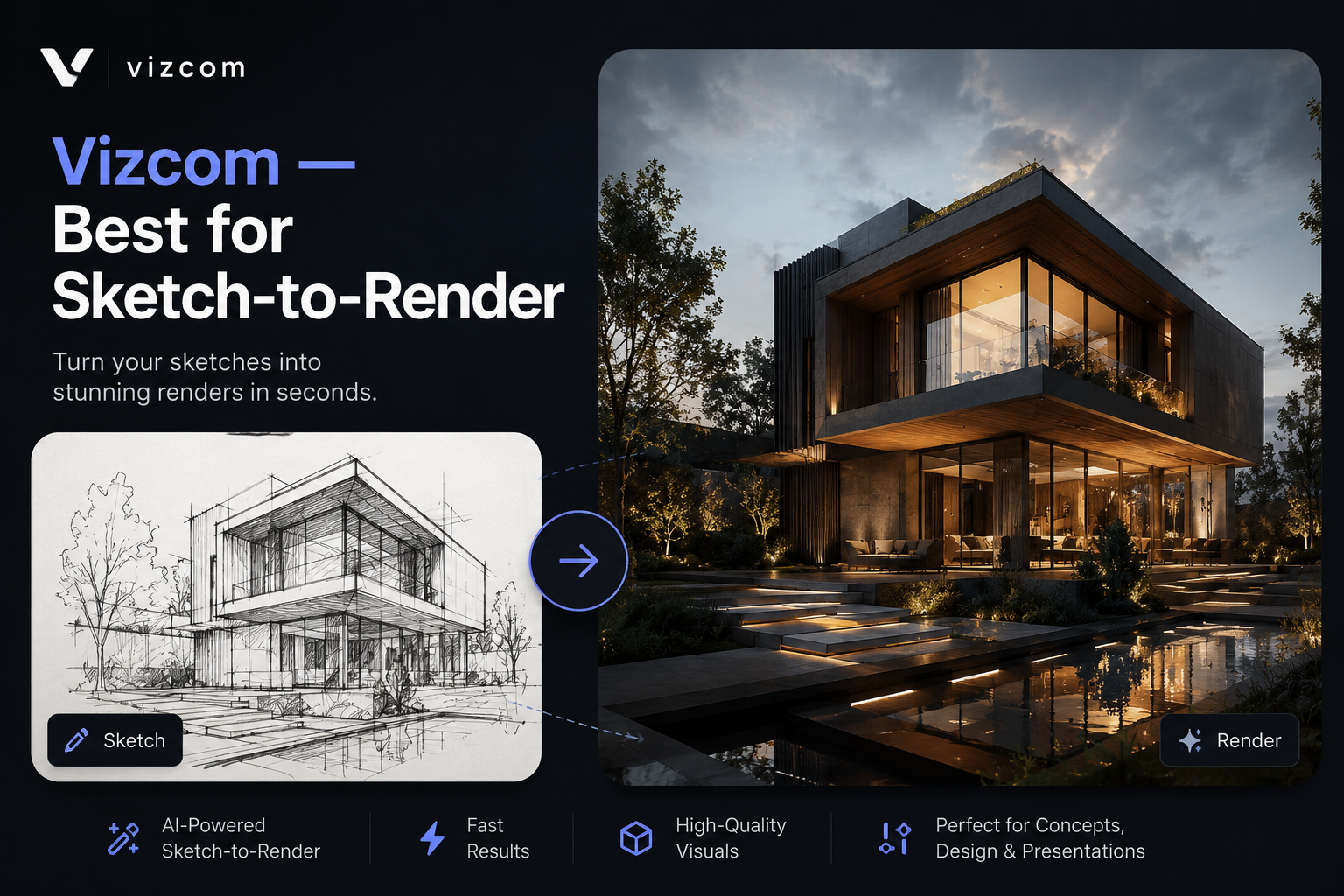
Vizcom is purpose-built for designers and architects. It takes your rough hand-drawn sketches or digital line drawings and instantly transforms them into polished, realistic renders.
This is a game-changer for design studios. Instead of spending hours rendering in V-Ray or Lumion, you can show your professor a near-final visual within minutes of sketching an idea.
Best for: Studio presentations, quick design iterations, client feedback rounds.
- Pros: Sketch-to-render workflow is incredibly intuitive, great for early design phases
- Cons: Output quality depends heavily on the clarity of your input sketch
3. Autodesk AI (Revit & AutoCAD) — Best for BIM and Technical Work
Autodesk has embedded AI features across Revit and AutoCAD that most architecture students already use. The generative design feature in Revit can suggest multiple structural and spatial solutions based on your constraints.
As a student, you likely have free access to Autodesk’s suite through your university. Make sure you are exploring the AI-powered features — they are often underused by students who stick to basic drafting tools.
- Pros: Industry-standard software, excellent for BIM workflows, free for students
- Cons: Steep learning curve, resource-heavy software requires a good computer
4. Veras by EvolveLAB — Best for Rendering Existing Models
Veras is a brilliant AI rendering tool that works directly inside Revit, SketchUp, and Rhino. It takes your existing 3D model and converts it into a photorealistic image using AI — no separate rendering software needed.
For architecture students, this dramatically speeds up the process of getting beautiful visuals from your models. What used to take hours in Lumion or V-Ray can now take minutes.
- Pros: Works inside tools you already use, very fast, impressive output quality
- Cons: Paid subscription may be a barrier for budget-conscious students; free tier has limitations
5. Maket.ai — Best for Floor Plan Generation
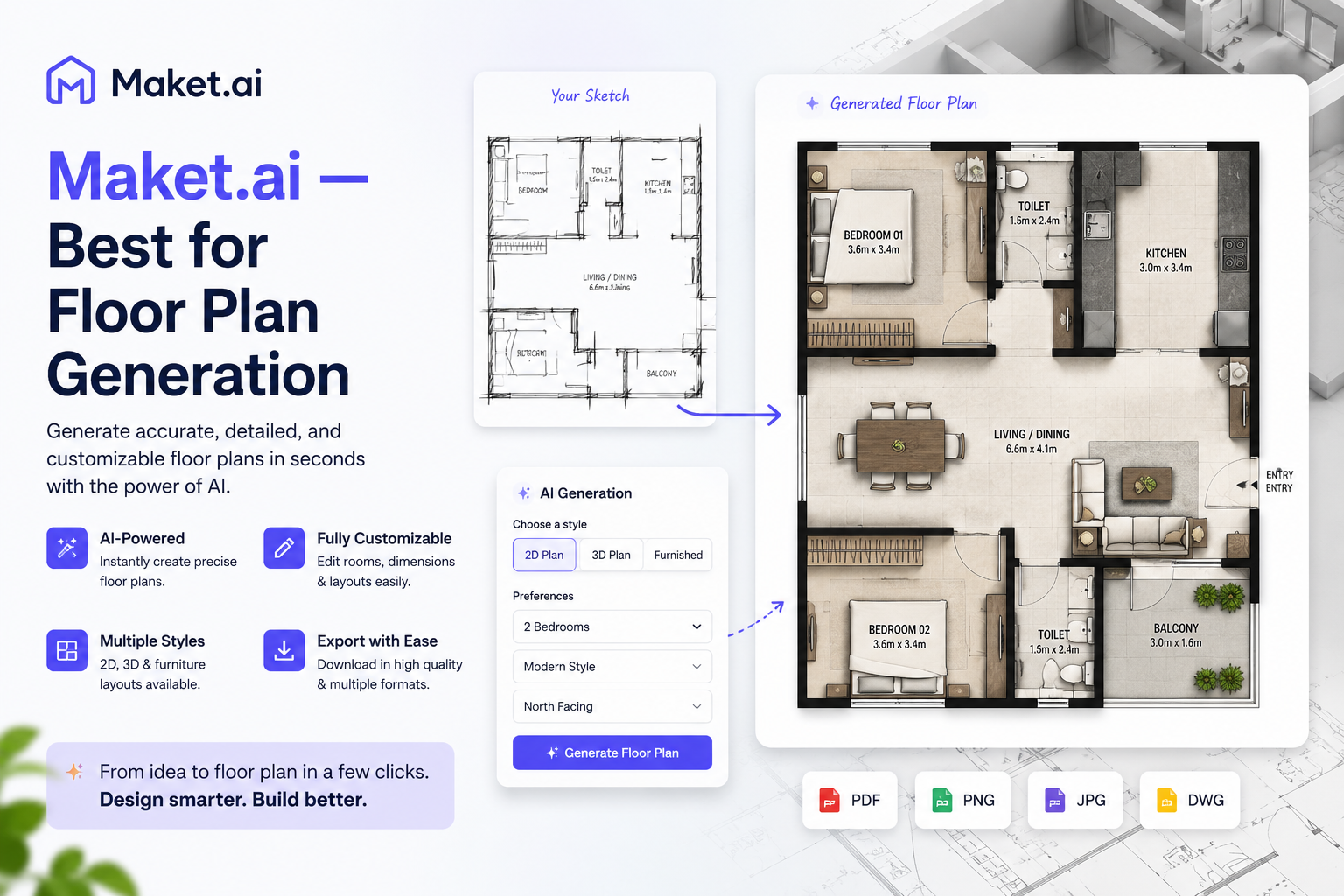
Maket.ai is an AI-powered floor plan generator. You input your site dimensions, room requirements, and design preferences — and it generates multiple floor plan options in seconds.
This is especially useful during the programming phase of a project when you need to quickly explore different spatial arrangements before committing to one direction.
- Pros: Saves enormous time in early design phases, generates multiple options at once
- Cons: Plans require significant refinement for construction-ready documentation
6. Spacemaker by Autodesk — Best for Urban Design
Spacemaker (now part of Autodesk) is an AI tool specifically designed for urban planning and site analysis. It analyzes factors like sunlight, wind, noise, and local building regulations to help you design better-performing buildings.
If you are studying urban design or working on large-scale site projects, Spacemaker is an essential addition to your toolkit.
- Pros: Powerful sustainability analysis, excellent for site feasibility studies
- Cons: Primarily useful for larger-scale projects; overkill for small residential designs
7. Cove.tool — Best for Sustainability Analysis
Cove.tool is a cloud-based AI platform that performs energy modeling and sustainability analysis. It helps architecture students understand how design decisions affect a building’s energy performance from the very beginning of the design process.
- Pros: Simple interface, fast analysis, integrates with Revit
- Cons: Full features require a paid subscription; the free tier is limited
8. Claude AI — Best for Research, Writing, and Brainstorming
Claude (by Anthropic) is a powerful AI assistant that architecture students are increasingly using for writing project descriptions, research papers, design briefs, and program statements. It can also explain complex architectural theory, help you prepare for critiques, and brainstorm design concepts.
Unlike image generators, Claude excels at language tasks — meaning it’s your go-to tool whenever you need to produce or refine written content for your projects.
- Pros: Excellent for writing and research, free to use, very reliable
- Cons: Does not generate images or 3D models
9. Stable Diffusion with ControlNet — Best for Advanced Users
Stable Diffusion combined with ControlNet is a powerful open-source option for students who want more control over AI image outputs. ControlNet allows you to use line drawings, depth maps, and architectural sketches as guides, so the AI produces images that follow your intended composition.
- Pros: Free and open-source, highly customizable, excellent for experimental projects
- Cons: Requires significant setup, learning curve is steep for beginners
10. Gamma.app — Best for Presentations
Gamma.app uses AI to turn your notes and project content into polished, professional presentations automatically. For architecture students who spend hours building presentation boards and slide decks, this tool is a genuine time-saver.
- Pros: Fast presentation creation, clean modern templates, collaborative features
- Cons: Less layout control compared to InDesign or PowerPoint
AI Tools Comparison Table
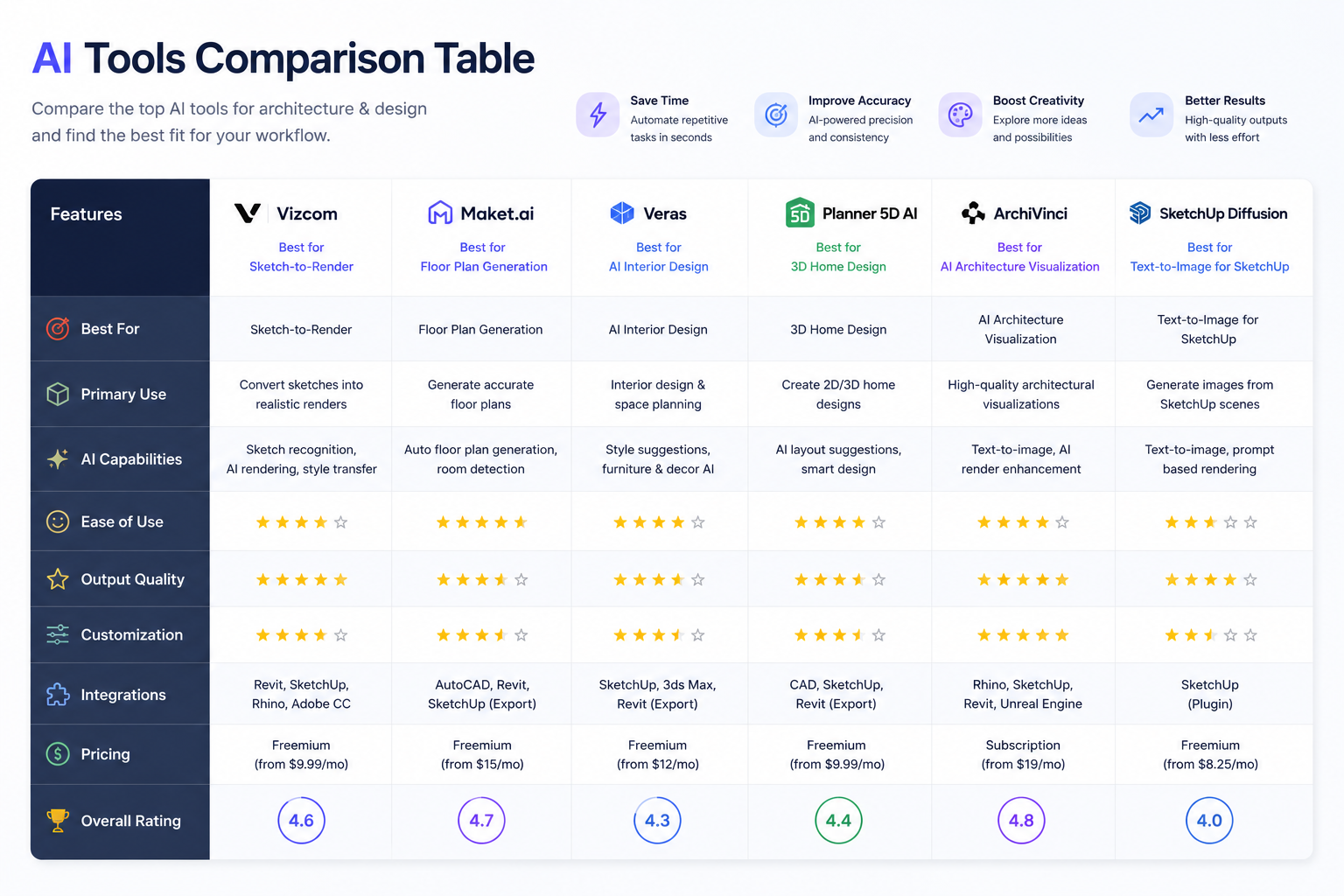
| Tool | Best For | Pricing | Skill Level | Free Plan |
| Midjourney | Concept Visuals | From $10/mo | Beginner | No |
| Vizcom | Sketch to Render | Freemium | Beginner | Yes |
| Autodesk AI | BIM & Technical | Free (students) | Intermediate | Yes |
| Veras | Model Rendering | Freemium | Intermediate | Limited |
| Maket.ai | Floor Plans | Freemium | Beginner | Yes |
| Spacemaker | Urban Design | Paid | Advanced | No |
| Cove.tool | Sustainability | Freemium | Intermediate | Limited |
| Claude AI | Writing/Research | Free | Beginner | Yes |
| Stable Diffusion | Custom AI Images | Free | Advanced | Yes |
| Gamma.app | Presentations | Freemium | Beginner | Yes |
How to Build an AI-Powered Architecture Workflow
Using AI tools in isolation is good. Using them together in a smart workflow is far better. Here is a practical step-by-step workflow:
- Concept Phase: Use Midjourney or Vizcom to generate initial design directions from your sketches.
- Planning Phase: Use Maket.ai to explore floor plan configurations quickly.
- Modeling Phase: Build your 3D model in Revit or SketchUp using Autodesk’s AI-assisted features.
- Rendering Phase: Apply Veras directly inside your modeling software for fast AI renders.
- Analysis Phase: Run your design through Cove.tool to check energy performance and sustainability metrics.
- Presentation Phase: Use Gamma.app for slide decks and Claude for writing your project narrative and design statement.
Honest Pros and Cons of Using AI in Architecture School
The Advantages
- Dramatically faster design iteration and visualization
- Lower cost compared to hiring renderers or buying expensive software
- Helps overcome creative blocks by generating new ideas quickly
- Prepares you for real-world expectations of modern architecture firms
- Accessible to students at all levels — many tools have free tiers
The Limitations to Keep in Mind
- AI is not a substitute for foundational skills. You still need to understand design principles, structures, and materials.
- Quality depends on your input. Weak prompts and rough sketches produce weak results.
- AI can produce inaccurate technical details. Always review and verify outputs.
- Over-reliance on AI can hinder the development of your own creative voice.
- Ethical concerns around AI-generated work vary by institution — always check your school’s policy.
Conclusion: Start Using AI Tools Today
The top AI tools for architecture students in 2026 are not just nice-to-have extras — they are becoming essential parts of a modern architectural education. From generating breathtaking concept visuals with Midjourney to analyzing building performance with Cove.tool, these tools can transform how you learn, design, and present your work.
The most important thing is to start experimenting now. Pick one or two tools that match your current needs and integrate them into your workflow. As you grow more comfortable, expand your toolkit.
Remember: AI is your creative partner, not your replacement. The architecture students who thrive in this new era will be those who combine strong foundational design skills with smart, ethical use of AI technology.
Ready to level up your architecture game? Bookmark this guide and share it with your classmates!
Frequently Asked Questions (FAQs)
1. What is the best AI tool for architecture students just starting out?
Midjourney and Vizcom are the most beginner-friendly options. Both require no technical setup, and you can start generating impressive results within minutes. Midjourney is ideal for concept exploration, while Vizcom is perfect for turning sketches into renders.
2. Are AI tools for architecture students free?
Many of the top AI tools for architecture students offer free tiers or student discounts. Claude AI is free to use. Autodesk provides its full software suite for free to enrolled students. Vizcom and Maket.ai offer freemium plans. Stable Diffusion is completely open-source and free.
3. Will using AI tools hurt my architecture portfolio?
Not if you use them correctly. Show AI as part of your creative process — document your sketches, your AI explorations, and how your final design evolved. Employers appreciate students who leverage modern tools while demonstrating strong original thinking and design judgment.
4. Can AI replace architects or architecture students?
No. AI tools are powerful assistants, but they cannot replace human creativity, spatial reasoning, empathy for users, or understanding of cultural and environmental context. AI generates options; architects make decisions. Students who learn to work effectively alongside AI will be far more valuable in the job market.
5. How do architecture schools view the use of AI tools?
Policies vary widely between institutions. Some schools actively encourage AI tools as part of modern design practice. Others have restrictions around AI-generated content in academic submissions. Always check your school’s academic integrity policy and speak with your professors before submitting AI-assisted work.
Pingback: Best AI Side Hustles to Start in USA 2026: Complete Beginner’s Guide to Earning $500–$5,000/Month - Daily AI Talk